Management and booking tool for wellness professionals
Agend’App
Project context
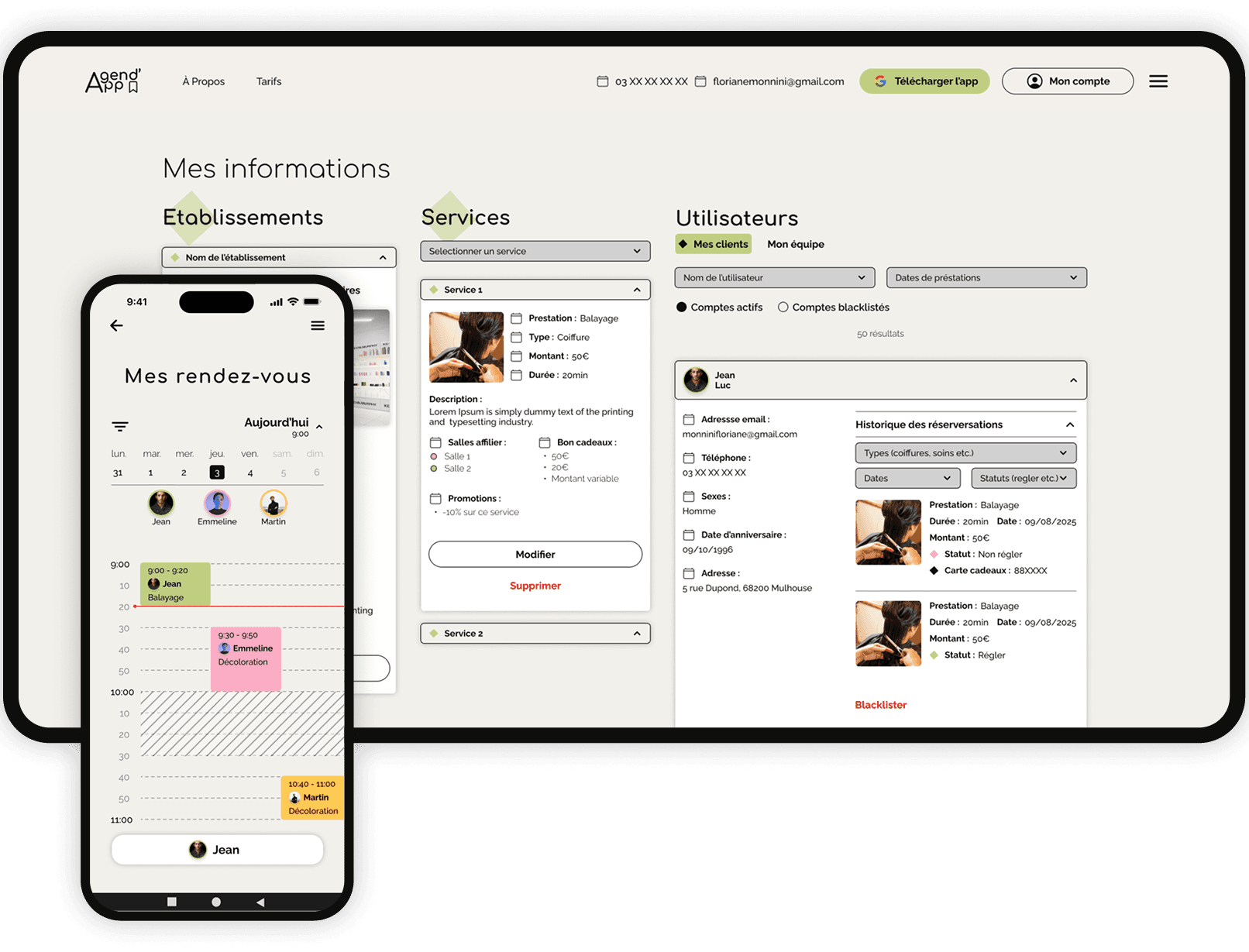
I contributed to the development of an online appointment booking platform for the beauty and wellness sector.
The project was structured around a mobile application for users as well as a web administration interface designed for professionals. The work was fully remote, which required strong self-discipline, as well as good organization and communication within the team.
Product analysis & scoping
The project was inspired by platforms like Planity, Treatwell or Booksy, with the goal of offering a more accessible booking solution for both professionals and users.
It addressed a concrete need by providing an alternative to existing tools, which are often costly, especially for certain features like notifications.
We started by analyzing existing market solutions to understand their strengths, limitations and real usage. This helped define the scope and avoid going in overly broad directions.
Some ideas, such as integrating medical professionals, were considered but intentionally set aside due to stricter regulations and higher business complexity.
Among the planned features were multilingual support, notifications, an internal messaging system, and future payment integration.
Role within the team
I first worked on data modeling and backend development, before taking over the web administration interface.
Over time, my role became more transversal. A large part of the entities related to establishments, DTOs and services was handled, with occasional technical validations.
I also acted as a bridge between different parts of the project, as adjustments on the front-end, mobile or design side often required backend changes.
This position allowed me to work across multiple layers, from technical structuring to business logic, including the database, API, front-end components, forms, validation and integration.
Data modeling
Based on the specifications, the required data was identified and structured, including elements that were not always explicitly defined.
An initial version of a data dictionary was created, then compared with the rest of the team before merging everything into a consistent model.
The schema was then modeled using dbdiagram to visualize entity relationships, and refined over time, growing from around 25 to more than 35 tables as requirements became clearer.

Backend & API
The backend was developed using NestJS, TypeORM and PostgreSQL, within a Docker environment.
Entities aligned with the SQL model were implemented, with particular attention to relationships, foreign keys, typed fields, timestamps and enums. Options like eager and cascade were used to simplify certain operations and speed up development, with limitations to consider in more complex cases.
Working on DTOs, services and controllers helped structure business logic within services and define clear entry points through controllers.
This work also highlighted alignment issues between backend and frontend, as some structures were not directly usable on the interface side, requiring adjustments in typing and data handling.
On the service side, standard operations were implemented along with more specific logic around entity relationships, using TypeORM’s QueryBuilder to build more precise queries and avoid inconsistencies.
Geolocation
A key feature involved finding nearby establishments based on user GPS coordinates.
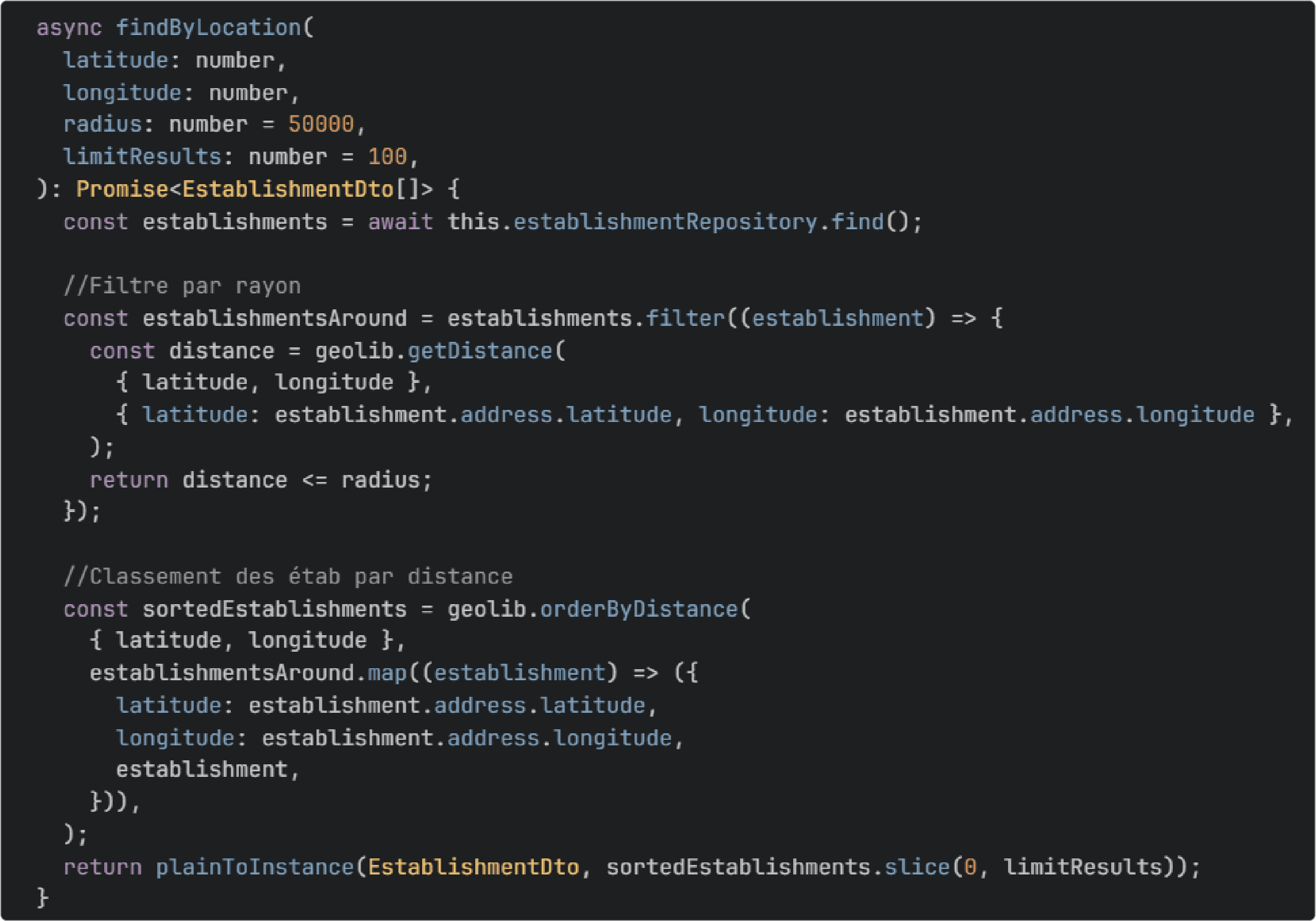
After comparing several options, I chose to use Geolib for its practical features such as distance calculation and proximity sorting.
A more precise alternative existed, but it was heavier and better suited for advanced use cases like GPS navigation, with no real added value for this project.
Testing & reliability
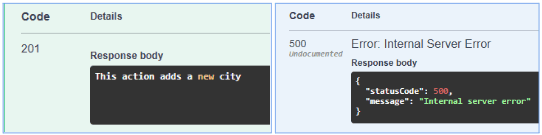
I was responsible for testing API routes one by one using Swagger.
For each route, I simulated JSON requests, sometimes with nested objects or pre-required related data. In case of errors, I relied on Swagger responses, Docker logs and the code to identify and fix issues.
This phase helped validate the API before it was used on the front-end.
Web administration interface
On the front-end side, I had a high level of freedom in my technical choices. The architecture was structured, constants were defined and the first reusable components were implemented.
I chose styled-components to maintain precise control over styling, while keeping a React-friendly approach based on a global theme, conditional styles and isolated, reusable and composable components.
Components & TypeScript
I set up a component base to structure the interface, and TypeScript allowed me to type them properly by combining custom props with native HTML attributes.
In some cases, native browser elements were too limited, so I rebuilt certain parts to maintain full control over their design and behavior.
Responsive, hooks & i18next
I developed custom hooks to handle responsiveness and specific UI behaviors.
For example, an OS detection hook made it possible to adapt the interface, such as hiding actions that were not relevant for the user’s environment.
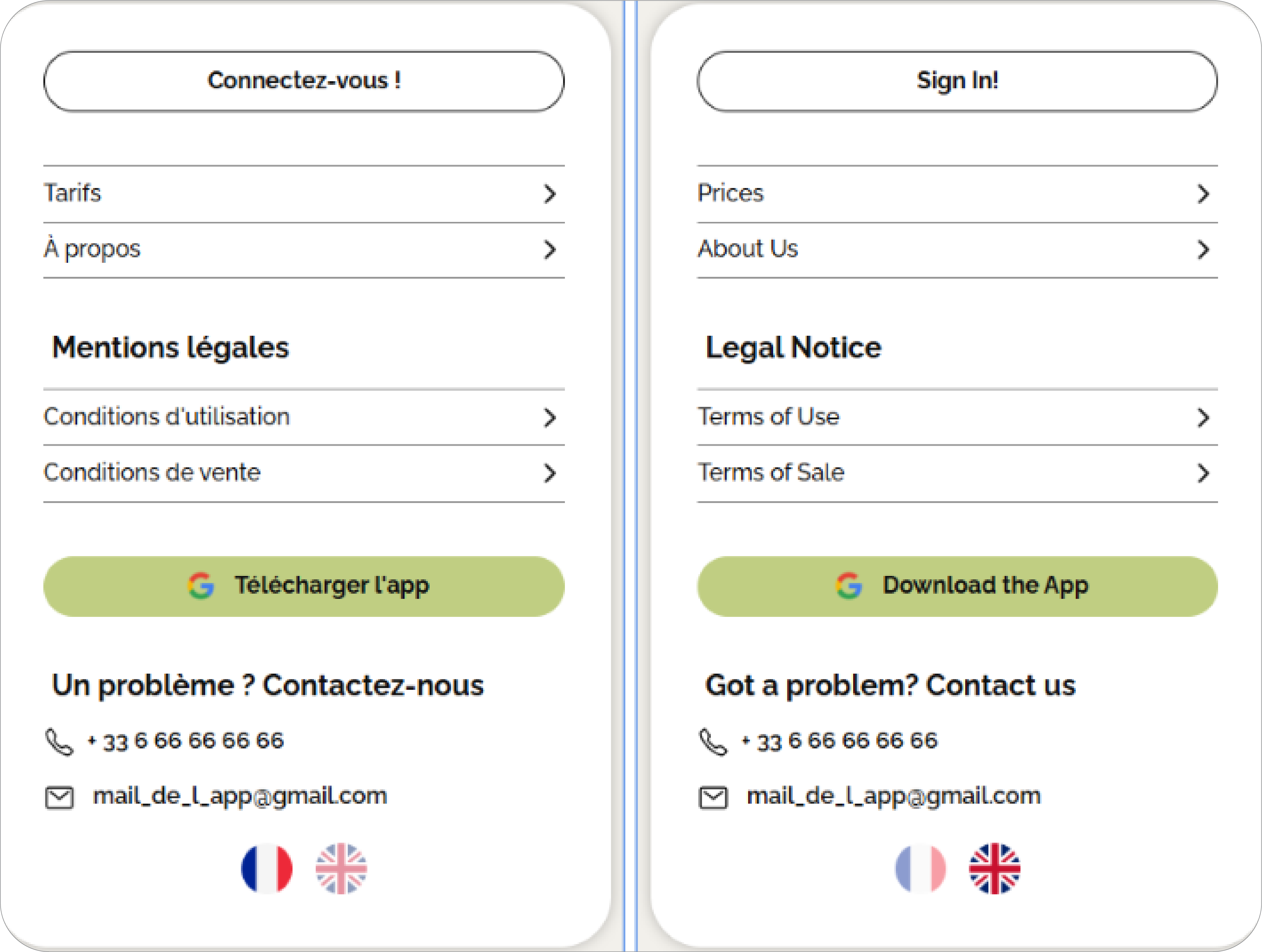
The interface was also multilingual using i18next, with translations adapted for both French and English.
Forms & advanced validation
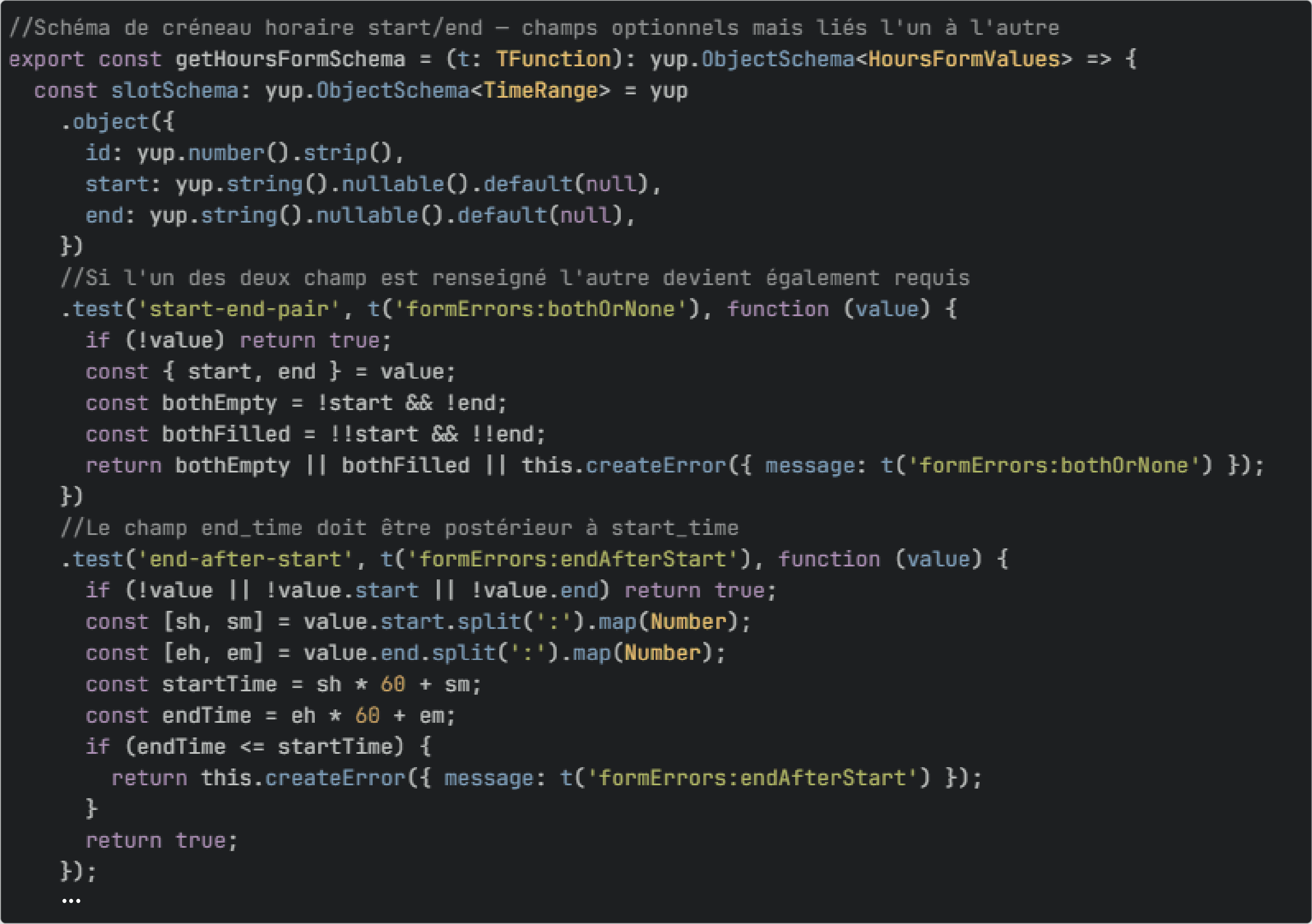
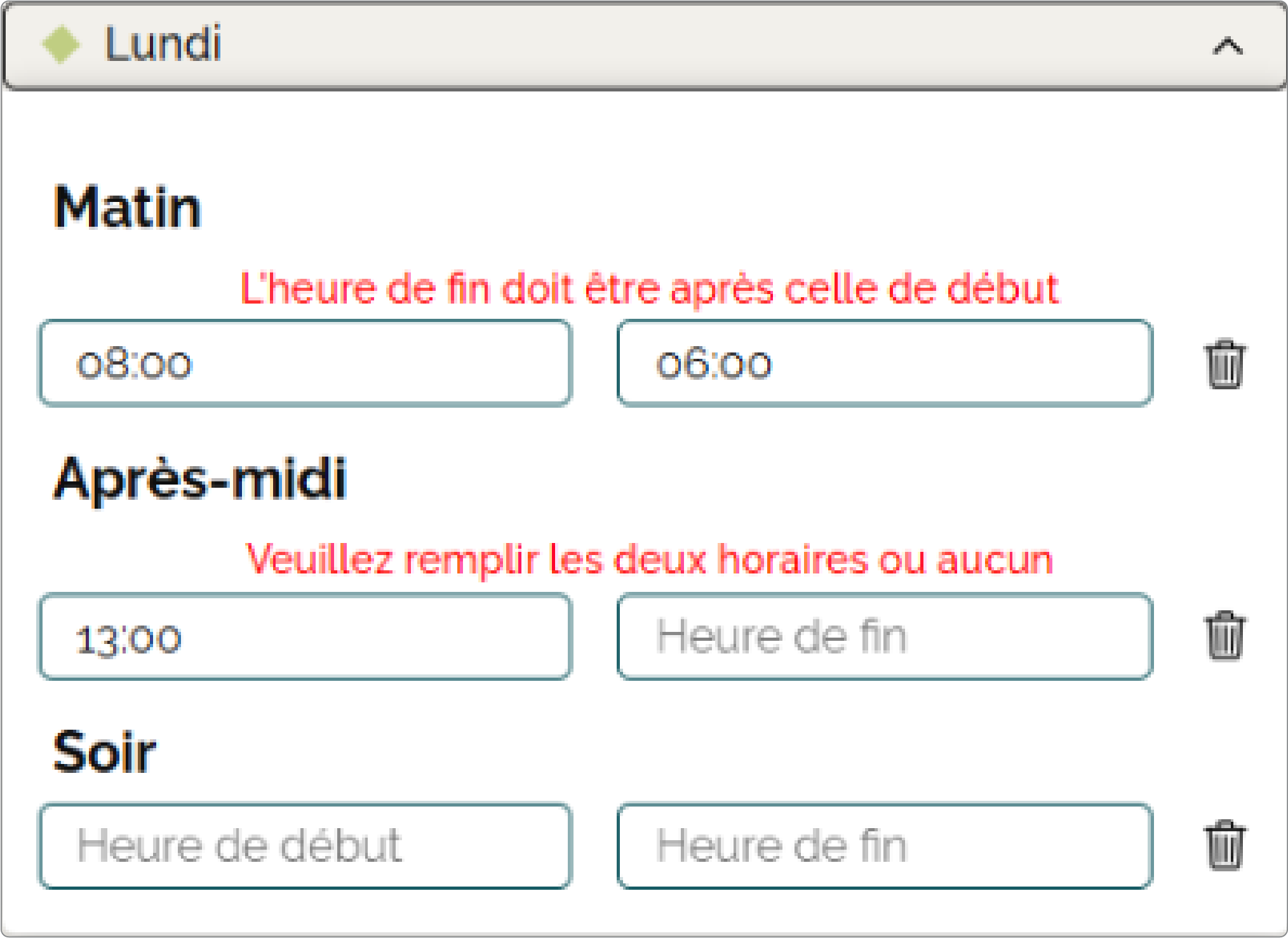
Form management relied on react-hook-form and Yup.
Some forms required more advanced logic to handle dynamic data and properly structure the payload sent to the API.
Conclusion
This project allowed me to work on a full development cycle, from understanding requirements to building a usable interface.
Beyond the technical side, it highlighted real challenges related to project scoping. Some aspects were unclear at the start and had to be clarified along the way, requiring continuous adjustments to technical choices and architecture.
It also strengthened my autonomy and ability to take responsibility, while contributing to the overall consistency of the project.
It showed that technical skills alone are not enough. The quality of a project also depends on clear requirements, consistent architectural choices and the ability to adapt to an evolving context.